An AI Assistant that takes
your Creative DNA into account.

AI doesn't compose for you. It's your creative copilot, and it takes into account what you tell it about your music in your Creative DNA.

How to try Pro with your song

Keep more recordings and longer lyrics, organize songs with your own tags, and leave feedback right on the audio. Try Pro with a song you’re already working on.

Create your account and start the free trial on the plans screen, which appears at the end of setup, from the star and when you reach a limit. On iPhone and the web, if you have never tried Pro.

Try it this week with a real song: record three takes and write the lyric.

What Pro adds to your song

Keep more recordings and longer lyrics, organize songs with your own tags, and leave feedback right on the audio.

See how to get started
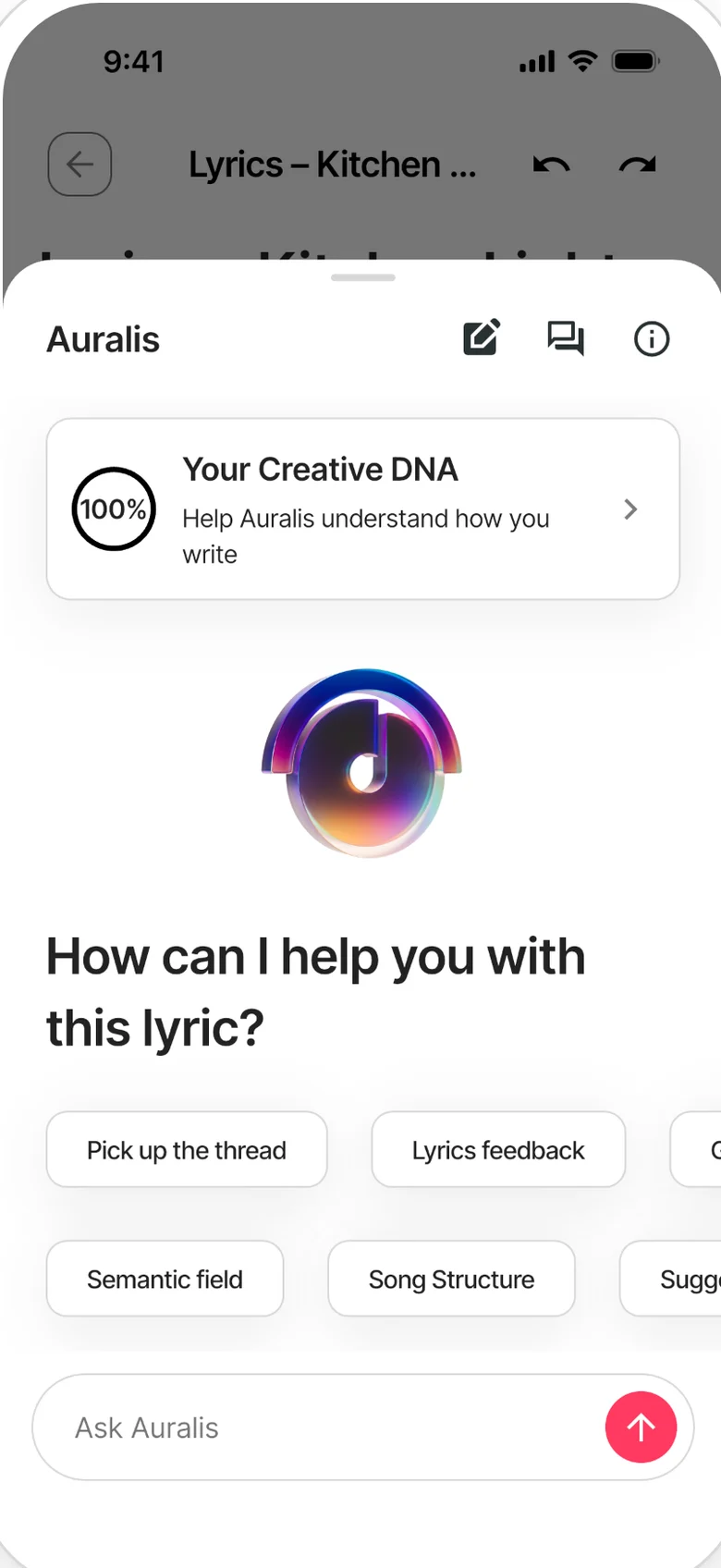
Auralis open in a note: Creative DNA and starter suggestions such as picking up the thread or getting lyrics feedback.

Ask a specific musical question

  1. 1 Complete your Creative DNA with whatever you want to tell about your music.
  2. 2 Choose a task such as lyrics, vocabulary, chords or structure.
  3. 3 Provide your text or question, compare the suggestions and make them your own.

Your creative co-pilot, not your replacement

  • Zoundroom's AI assistant suggests, proposes, and opens doors. You decide.
  • Chord progressions, lyric ideas, song structures, and vocabulary for what you want to say.
  • Designed to unlock your creativity, not replace it.
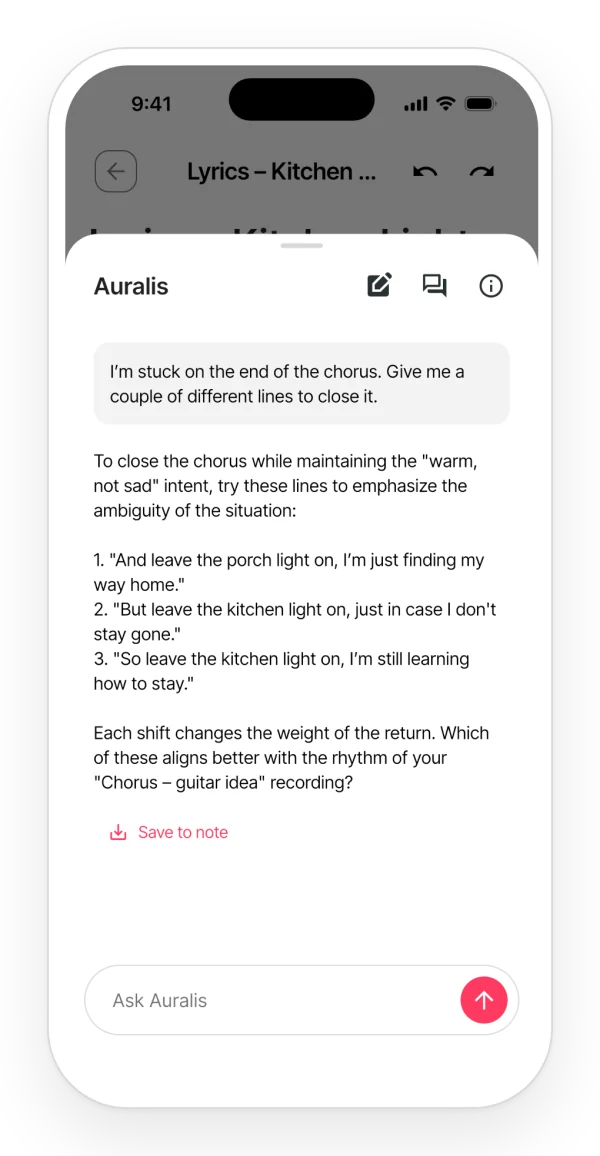
A conversation with Auralis in the app: a request to get unstuck on the lyric and alternative lines in reply.

Creative DNA: what you tell it about your music

  • Creative DNA is 10 questions about your music: why you make it, the emotions it carries, the sounds you work with and more.
  • Auralis takes into account what you tell it about your music in your Creative DNA.
  • Answer only the questions you want: if the basic ones are missing, Auralis asks them in the conversation.
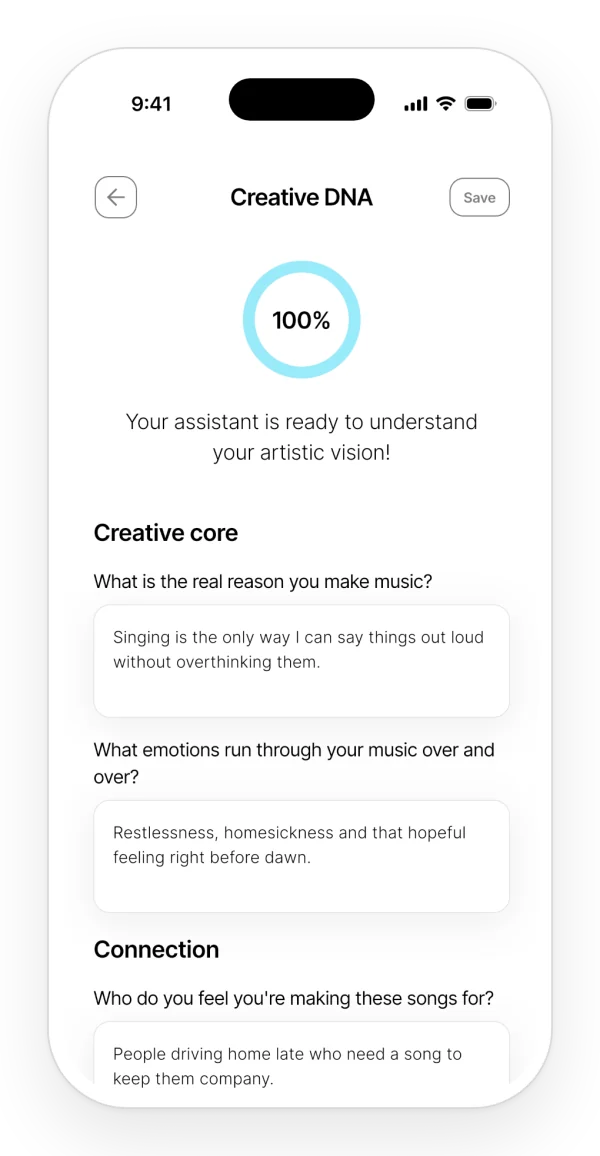
Creative DNA at 100%: your answers about how and why you write, which Auralis takes into account.

Always ready when you get stuck

  • Stuck at 2 AM? Your assistant is ready. Instantly get chord progressions, alternative lyrics, or ideas to fix that stubborn bridge.
  • Paste your lyrics to get immediate listener feedback: discover the emotions they trigger, the imagery they evoke, and where they hit hardest.
  • Use the assistant to explore an idea, then develop it in your song.
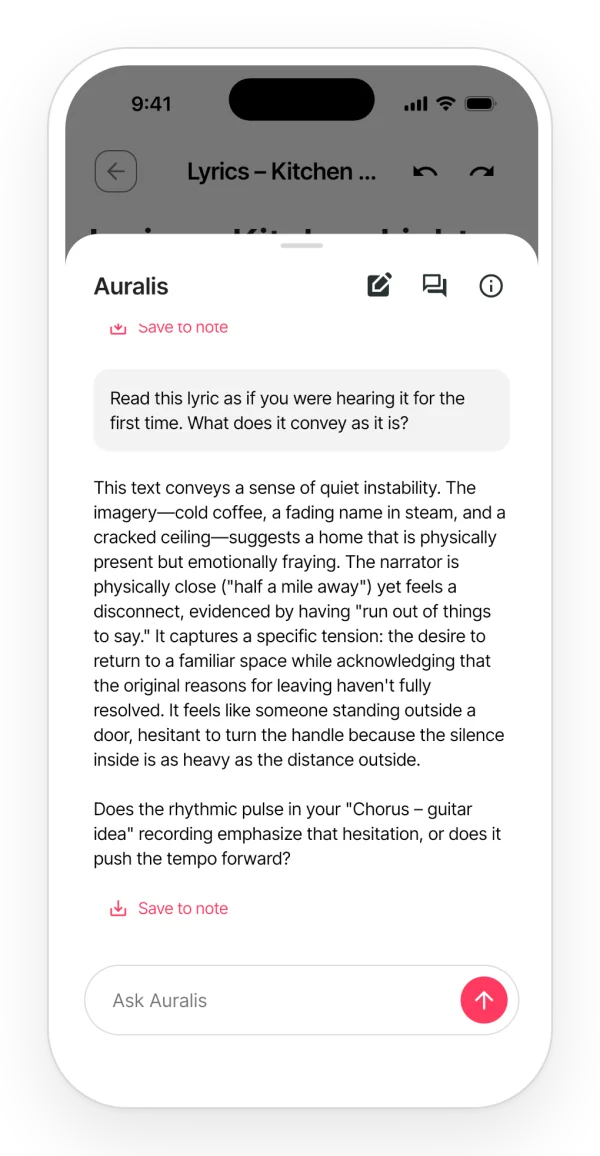
Auralis's answer when you ask it to read the lyric as if hearing it for the first time: what it conveys, the tone and a closing question.

Work on the line that holds you up

Bring a verse, a chord idea or a question about structure. Ask for alternatives, try them against your melody and keep the suggestion that helps you move forward.

Give the assistant your creative direction

Use Creative DNA to say why you make music, the emotions you are after and the sounds you work with. Auralis takes into account what you tell it about your music.

Your questions

What can I ask for?

Try lyric ideas, vocabulary for what you want to say, chord progressions, titles or a different structure for your song.

Do I have to use AI to write in Zoundroom?

No. You can write, record and organize your projects independently, and use the assistant whenever you want suggestions.

Does Auralis give me rhymes?

No. Rhymes belong to the note, not to Auralis: they come up on their own as you write, free, in the phone app (offline too) and in the browser.

Bring the line you are stuck on.
Explore another way to sing it.